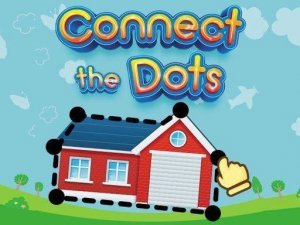
Connect Dots: Kids Number Puzzle

Connect Dots: Kids Number Puzzle

Kids & Learning
Developer: Crystalis Digital
Published: 2024-05-22
Updated: 2026-06-10

Reviews

Connect The Dots Game For Kids offers a calm, focused learning experience. Children practice number order by tracing lines between dots. The lack of timers reduces anxiety, allowing kids to learn at their own pace. Each completed picture provides a sense of accomplishment. The variety of images encourages replay, reinforcing number skills. It is a valuable tool for preschool and kindergarten readiness.

Description

Game Introduction

Connect The Dots Game For Kids transforms the classic dot-to-dot activity into a digital learning tool. Children see numbered dots on the screen and connect them in the correct order. Each successful connection reveals part of a hidden picture, such as a cat, car, or airplane. The game focuses on number recognition and sequencing from 1 to 10 or higher. It provides a gentle introduction to early math concepts without pressure or time limits. The colorful images and clear audio feedback keep children engaged while they learn.

How to Play

First, choose a picture from the gallery. Dots with numbers appear on the screen. Tap the dot labeled 1 and drag your finger to dot 2. Continue connecting 2 to 3, 3 to 4, and so on. The game highlights the next correct dot if you need help. There are no timers or penalties. After connecting all dots, the picture fills with color and the game says the object's name. You can replay any level as many times as you like.

Game Features

No time limits or pressure for children. Clear English pronunciation helps build vocabulary. Wide variety of fun pictures to discover, including animals and vehicles. Simple touch-and-drag controls designed for small fingers. Focus on number sequence learning from 1 to 20 and beyond.

Tips for Success

Encourage children to say each number aloud as they tap to reinforce number recognition. Start with simpler pictures that use fewer dots to build confidence before moving to more complex ones. Use the highlight feature if a child feels stuck, and celebrate each completed picture to maintain motivation. Regular practice helps improve sequencing skills and hand-eye coordination.

Compatibility

• OS: Windows 10+, macOS 11+, iOS 14+, Android 10+
• Browsers: Chrome 100+, Safari 15+, Edge 100+, Firefox 100+
• Not compatible with Internet Explorer
Tested on real devices ✅ works as expected
Faq
Is this game free to play?
The game may be available as a free download with optional in-app purchases or a one-time purchase. Since the input does not specify pricing, check the app store listing for details on cost and any available free content.
What ages is this game suitable for?
This game is designed for young children, typically ages 2 to 6, who are learning number recognition and sequencing. The simple controls and lack of time pressure make it accessible for toddlers and preschoolers.
Does the game require an internet connection?
The game likely works offline once downloaded, as it does not mention online features. However, some versions may require internet for initial download or updates. Check the app description for specific connectivity requirements.
Can I track my child's progress in the game?
The input does not specify progress tracking features. Some educational apps include simple progress indicators like completed pictures or levels, but this may vary. Look for parental controls or settings in the app for more information.
Are there different difficulty levels?
The game focuses on number sequences from 1 to 20 and beyond, which naturally increases in difficulty. While specific difficulty levels are not mentioned, the variety of pictures may offer different challenges based on the number of dots.
Is the game available on both iOS and Android?
The input does not specify platform availability. Many children's puzzle games are available on both iOS and Android, but it is best to check the official app store for your device to confirm compatibility.
Advertisement